Installation Instructions
Note: If you are using Ubuntu 22, skip step 1.
Step 1: Install Ubuntu 22 for Windows (WSL)
Open PowerShell in Administrator mode.
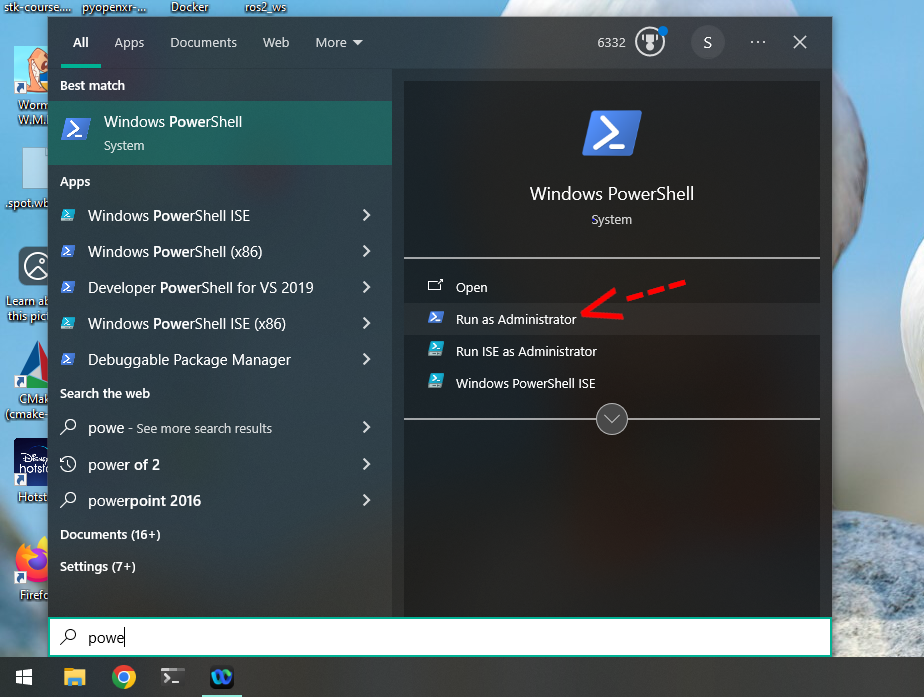
Enter the following commands:
wsl --install
and:
wsl --set-default-version 2
Reboot your computer:
Restart-Computer
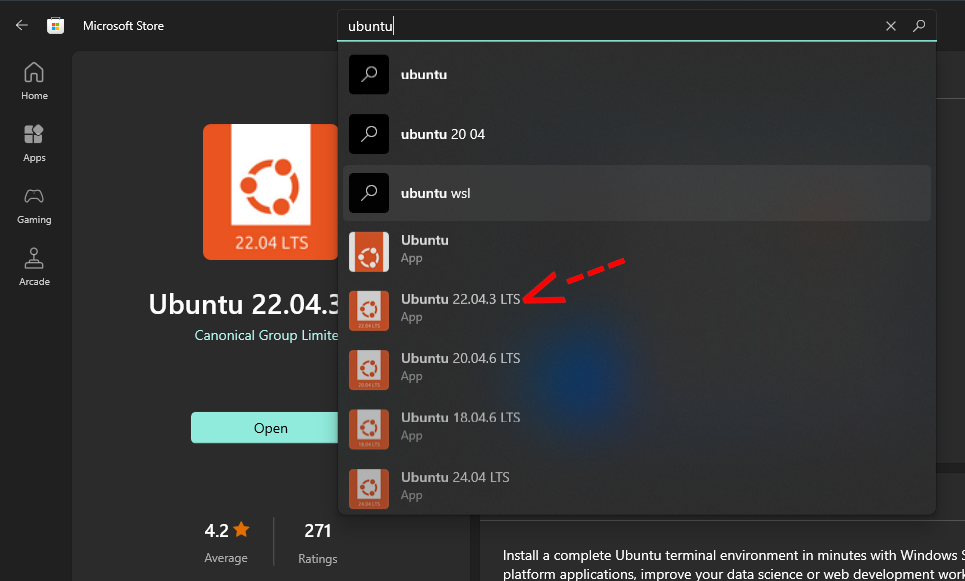
Install Ubuntu 22 from the Microsoft Store, open it, and set a password (e.g., 123).
Step 2: Update Ubuntu Packages
Open the Ubuntu terminal and run:
sudo apt update && sudo apt upgrade -y
This command updates all the packages of the operating system.
Step 3: Install Ansible
Ansible is a YAML-based automation tool that will install all necessary dependencies:
sudo apt install -y ansible
Step 4: Install Required Dependencies
Download the installation script using wget:
wget https://sourceforge.net/projects/maskor/files/stk/install_stk_ros2_deps.yaml
Run the Ansible playbook to install dependencies:
ansible-playbook install_stk_ros2_deps.yaml --ask-become-pass